| Author |
 Replies: 195 / Views: 19,435 Replies: 195 / Views: 19,435 |
|
|
|
Pillar of the Community
 Canada
9774 Posts |
I download Gimp to see if it is complicated or not, have not physicality tried it yet but reading,
Where do I find, how to put the arrows pointing to something? I did find straight lines.
Edit, anyone know?
Edited by mcshilling
05/24/2015 10:09 am
|
|
Pillar of the Community
Canada
9774 Posts |
|
|
Pillar of the Community
 United States
4051 Posts |
I use PaintShopPro for adding arrows and text, but I've also used Paint.net.
|
|
Pillar of the Community
United States
1476 Posts |
I'm still reading and playing with Gimp myself. I love the way if you hover over a command and hit the F1 key it brings up the help page about what your hovering over.  |
|
Pillar of the Community
Canada
9774 Posts |
Here's my problem, I have 2 computers set up, I want one for doing the pics on. It has Gimp but it won't load Paint.net because it keeps telling me I need XP SP1, I have XP SP3
If I can figure Gimp out I will stay with that one, if not I will put every thing onto the other.
Will try what you are saying Dar.
|
|
Pillar of the Community
United States
4051 Posts |
I use XP SP3 and Paint.net works fine. I use v3.5.11.
Contact me for photographic equipment or visit my home page at: http://macrocoins.com |
|
Pillar of the Community
Canada
9774 Posts |
Thanks Ray, mine was 4.0.5 , I did find 3.5.11 and got it downloaded but not easy, now I just need the rest of my parts, this waiting is hard.
|
|
Pillar of the Community
Canada
9774 Posts |
OK I got my parts in, thanks Ray.  I thought I was ready for this  I have some more reading to do. Any way my first attempt F8 ISO 100 Picture Style, Neutral - Contrast -4 - Saturation -2 Lights 10 and 2 , 110mm from coin 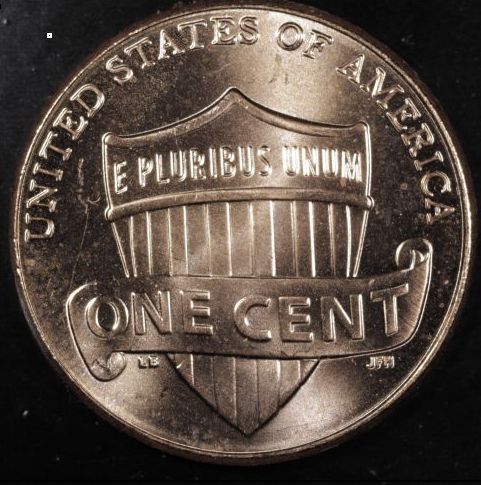 |
|
Pillar of the Community
United States
717 Posts |
I'd say that is a good start. Play around with the lighting. Bounce it off something white, shine it through something translucent, light it from one side only, low angle, high angle. You will see some options are terrible, some are better. I find the experimenting fun.
|
|
Pillar of the Community
United States
4051 Posts |
Lighting has 4 dimensions:
Clock position. For this coin I'd go with 10:30 or 11:00 and 1:30 or 1:00 rather than 10 and 2. This will make a better X pattern to the luster bars
Distance from coin. 110mm seems fine, you don't have excessive hotspotting or dark shadows
Angle to horizontal. It is here you can make some improvements. The bright highlights around features shows you may be at too low an angle. Move the lights closer to vertical, ie closer to the lens.
Size. The Jansjos I sent have internal diffusion, but you may need more. First bring the lights at higher angle, then if there are still too many hotspots add some more diffusion (start with kleenex, it will make Dave happy!).
Also, after bringing the lights up higher, and adding a little diffusion, if you still have hotspots you might set exposure to -0.5EV or even -1EV.
edited to add: and please rotate the coin a little CW so that EPU is level
Contact me for photographic equipment or visit my home page at: http://macrocoins.comEdited by rmpsrpms
06/02/2015 9:53 pm
|
|
Pillar of the Community
Canada
9774 Posts |
Quote:
you might set exposure to -0.5EV or even -1EV OK I'm having a brain fart, how do I get this ? Took 3 pics yesterday and just went to do the changes and the battery is dead.  Going to get that AC adapter for sure now. Weather is finally nice +70f may not post as often. |
|
Pillar of the Community
United States
717 Posts |
In live view there is a bar that has 0 in the middle, +1 and +2 to the right, and -1 and -2 to the left. That is where you can force the camera to over or under expose. Right click on the bar then use the arrows to change your setting.
|
|
Valued Member
Australia
90 Posts |
For Exposure Compensation to be available in "Live View" mode, the Camera Body needs to be set at Av mode. For this shot compensation is set at -0.3  |
|
Pillar of the Community
Canada
9774 Posts |
|
|
Pillar of the Community
Canada
9774 Posts |
This is what I have for all afternoon playing  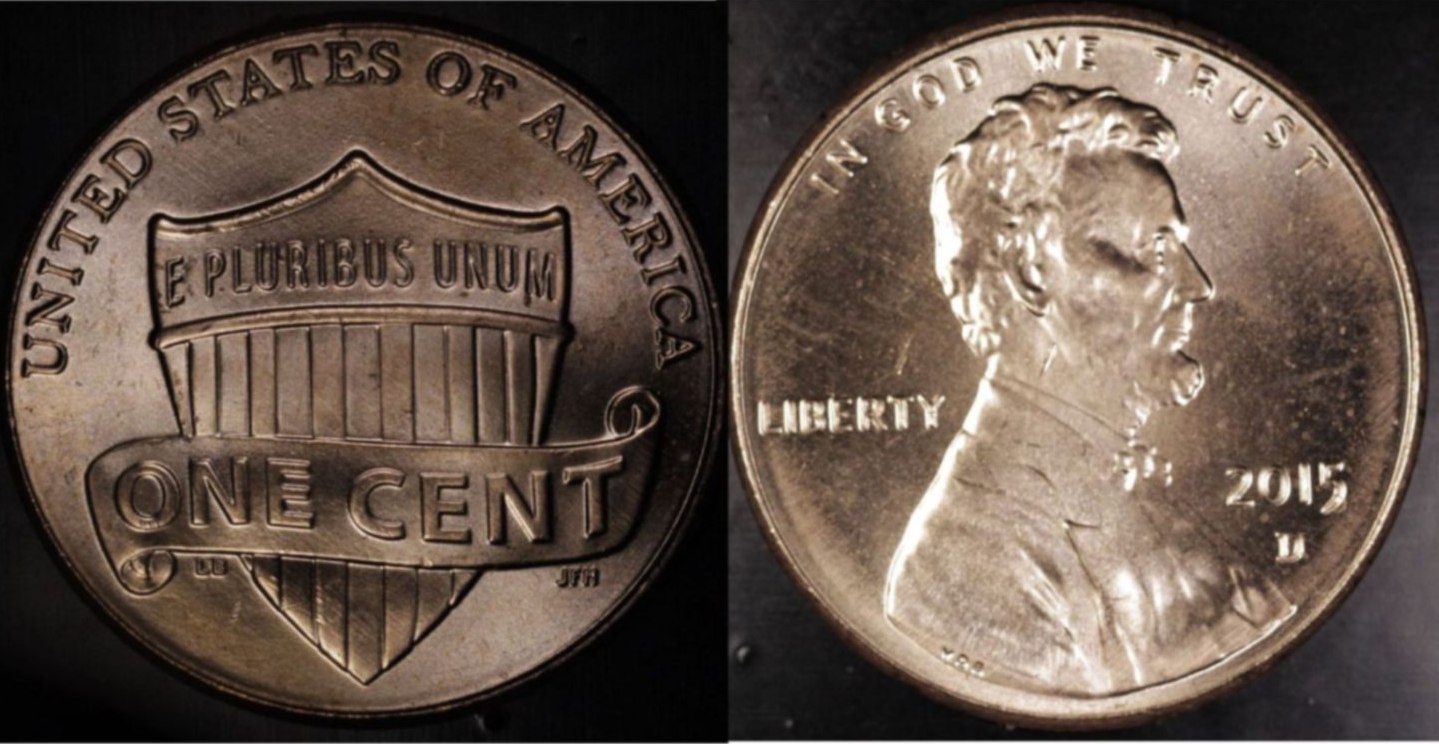 Rev. pic - no Kleenex - -1EV - F8 - lights 110mm 11 and 1 o'clock Obv. pic - Kleenex defuse - +1EV - F5.6 - lights 75mm 11 and 1 o'clock Boy you can almost get the lights to touch each other before you see them in the lens. |
| |
Replies: 195 / Views: 19,435 |





 First Page
 Previous Page


 Posted 05/29/2015 12:46 pm





