| Author |
 Replies: 199 / Views: 23,599 Replies: 199 / Views: 23,599 |
|
Pillar of the Community
United States
1300 Posts |
I have been working with my Rebel T1i and remote shooting with my Mac. I have a vivitar bellows with 75mm lens shooting Morgan dollars. I can shoot the image, but have forgotten how to get the image to a program to view and "post process". Also, how do you save the image to a file for future reference? I was using this setup a few years ago, but have forgotten a few things. Thanks. |
|
|
|
Pillar of the Community
Canada
2784 Posts |
Ham1947 hello . you still here do you still have the software in place. if you take a photo with the camera tethered your software will automatically open. if not them you have to upload your software again. if you cannot find your software go to canon home page. register your canon t1i and the software is free plus make sure you upload digital photo processing. there is every thing you need there to do editing of your photos. after that hopefully dave or ray will be on and they will help you set up a flow system to a folder. other wise I can help you.
|
|
Pillar of the Community
 United States
1300 Posts |
Thanks, rocky. I might have the software loaded. What is the name of the editing software associated with Imagebrowser? After I take the shot, a new screen shows up, but am not sure how to navigate to edit the shot, and save it to a file.
|
|
Moderator
 United States
23522 Posts |
I don't speak Apple so I can't help with file management. However, the decision of where to put the image file - and whether to save the pic on hard drive, camera card or both - is a part of Zoom Browser's remote shooting program.
|
|
Pillar of the Community
United States
1300 Posts |
Thanks SsuperDdave, I have figured out how to get the image into Picasa and save it there.
|
|
Pillar of the Community
United States
1300 Posts |
Here is my first effort using a Vivitar bellows, Nikon 75mm lens, and 2 Jansjos. Comments please. 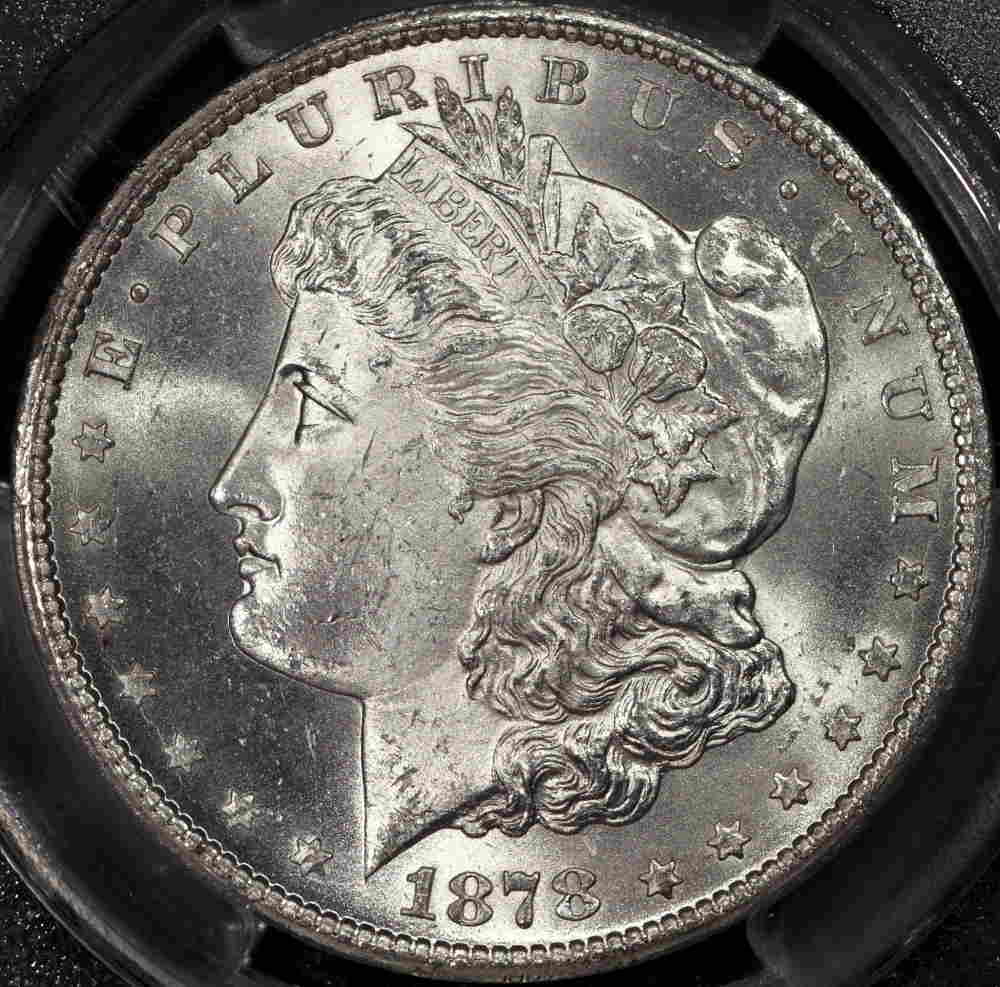 |
|
Moderator
United States
23522 Posts |
It's nice but nowhere near as good - yet - as your equipment is capable of. I note from the EXIF data (Google EXIF if you aren't familiar) that it's saved at 350dpi, which is far too fine a resolution. That's (roughly) the full-resolution capability of your camera, and your image is less than a third the size of full resolution. Further, the actual size of the file is less than 100kb - way small for such a large image. I'd expect that file to be around 250kb. So, I'm thinking your postprocessing program is literally doing too much computing.  I don't know Picasa well, but I think it's doing too much at the moment, trying to force the same resolution onto a much smaller image which doesn't need that while at the same time compressing it far too much to retain all the original detail which was in the pic. I'm willing to bet the fullsize original looks a lot different on your screen than this processed image does. The image ought to be roughly 72dpi and 250kb. Almost all of my postings here are 72dpi. |
|
Pillar of the Community
United States
4051 Posts |
What were the camera settings? I'd recommend reducing contrast a bit, and EV a bit, to keep same overall exposure but lower the highlights. You could also add some more diffusion to the Jansjos but probably still need to turn down the EV.
The shot looks grainy. How much sharpening are you doing in post? I'm also curious about the red/green hues. I normally see this with longCA effects, but it looks like this is on the coin itself?
|
|
Pillar of the Community
United States
1300 Posts |
SsuperDdave, I'm not sure how to save an image at a certain dpi. I reduced the size (less than 100kb) of the image in the program here to be able to post. If you have some suggestions, I'm willing to listen and try. I see what I can find out on my end.
|
|
Pillar of the Community
United States
1300 Posts |
Ray, where do I get the camera settings so I can relate them here? How do I turn down the EV? I did quite a bit of sharpening. The red/green hues showed up when I reduced the image size to post here. They are not on the coin.
|
|
Pillar of the Community
United States
1300 Posts |
Ray, are these the settings you want?File Name 1878CC Morgan dollar.jpg File Size 9.9MB Camera Model Canon EOS REBEL T1i Firmware Firmware Version 1.0.9 Shooting Date/Time 09/03/15 16:11:42 Author Picasa Owner's Name Glenn Smick Shooting Mode Aperture-Priority AE Tv(Shutter Speed) 1/125 Metering Mode Evaluative Metering Exposure Compensation 0 ISO Speed 100 Auto ISO Speed OFF Image Size 4752x3168 Image Quality Fine Flash Off FE lock OFF White Balance Mode Tungsten White balance compensation A2, 0 AF Mode Manual focusing Picture Style Standard Sharpness 3 Contrast 0 Saturation 0 Color tone 0 Color Space sRGB v1.31 (Canon) Long exposure noise reduction 0:Off High ISO speed noise reduction 0:Standard Highlight tone priority 0:Disable Auto Lighting Optimizer 0:Standard Peripheral illumination correction Disable Drive Mode Single shooting Live View Shooting ON Camera Body No. 0570139391 Comment |
|
Pillar of the Community
Canada
2784 Posts |
ok ham here is a photo with my t1I all I did was crop and resize no editing 75mm el-nikkor 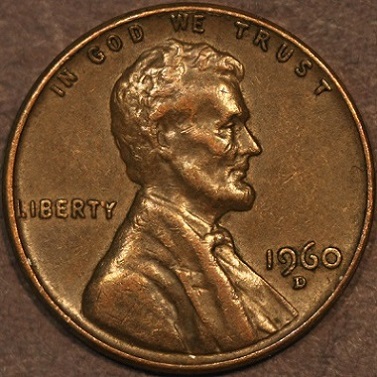 |
|
Pillar of the Community
Canada
2784 Posts |
ok ham took 1 in plastic diving goose you have to use a lot of diffusion. camera set at iso 100 f set at 2 on live view. shooting through plastic is not easy. all I did was crop and resize to fit here no editing 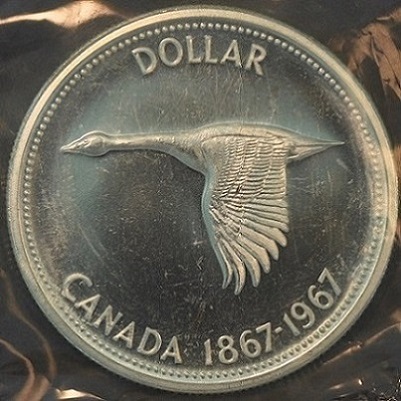 |
|
Pillar of the Community
Canada
2784 Posts |
ham your photo is good you need to add more diffusion
|
|
Pillar of the Community
United States
1228 Posts |
|
|
Pillar of the Community
United States
4051 Posts |
Hi Ham...the settings of interest are:
Exposure Compensation 0
ISO Speed 100
Picture Style Standard
Sharpness 3
Contrast 0
Saturation 0
Color tone 0
You adjust EV in Zoombrowser. There is a scale that goes from -2 to +2. Set it to anywhere from -1/3 o -1. Set Contrast to -2, -3, or -4. You can always increase it in post processing, but if you lose highlights or shadows you can never get it back. With sharpness at 3 you should probably not do any sharpening in post.
|
| |
Replies: 199 / Views: 23,599 |








 Posted 09/04/2015 07:09 am


