Coin Community Family of Web Sites Join Thousands of Coin, Bullion, & Money Collectors
Specializing in Modern Numismatics Royal Canadian Mint products, Canadian, Polish, American, and world coins and banknotes. Coin, Banknote and Medal Collectors's Online Mall 300,000 items to help build your collection! Shop for APMEX Bullion on eBay!Vancouvers #1 Coin and Paper Money Dealer Join Thousands of Coin, Bullion, & Money Collectors


Username:
Password:
Save Password
Forgot your Password?


This page may contain links that result in small commissions to keep this free site up and running.

Welcome Guest! Registering and/or logging in will remove the anchor (bottom) ads. It's Free!

First Coin Photo Post This Community And First Post This Community

To participate in the forum you must log in or register.
Author Previous TopicReplies: 7 / Views: 1,712Next Topic  
New Member

United States
5 Posts
 Posted 03/30/2016  5:45 pm Show Profile   Bookmark this topic Add TexasPilot to your friends list Get a Link to this Message Number of Subscribers
Good Afternoon:

Greetings from South Texas.

Thank you in advance for any and all feedback and advice. I find coin photography fascinating and great enjoyment. Your help in getting better at this would be appreciated more that I can express.

Disclaimer: I am not a coin collector but I am an experienced amateur photographer. A few months ago I really took up an interest in macro-photography. A close friend has asked for my assistance in documenting his coin collection. To that end, a couple of week ago I started researching coin photography. This has been trial and error - sometimes frustrating and other times incredibly rewarding.

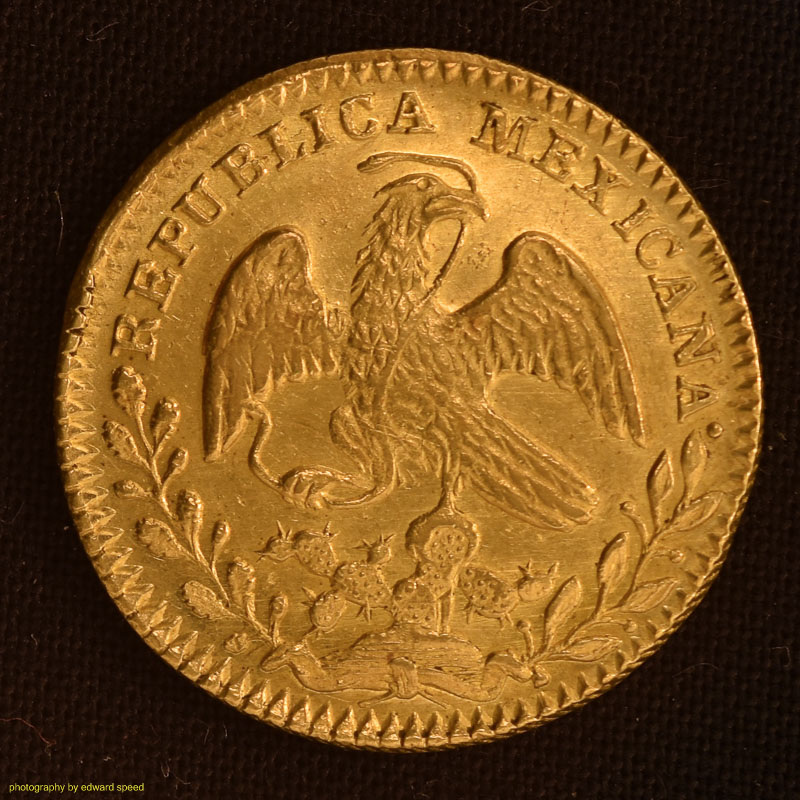
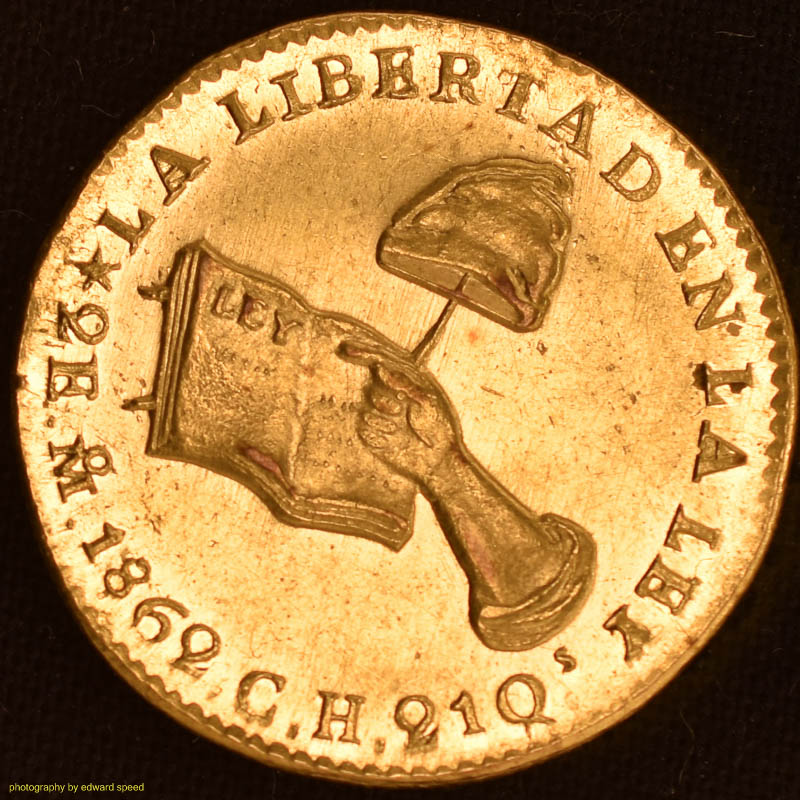
Here is a coin from my latest results that I now deem worthy enough for at least showing for feedback.

Here are the specs:
Nikon D5500
Lens: Nikor 40mm 2.8 Macro 1:2
ISO 100
f/5.6
1/40 sec
Axial lighting off of clear glass at 45 degrees
Home-made light box under tripod for the axial lighting, above
13 watt florescent bulb
White balance using X-Rite Color Correction passport.
Only editing is WB and crop.
Camera control: ControlMyNikon (5.2)
Software: Lightroom CC

Thanks again. I'm fully retired so I can invest time and resources in developing this skill.

First-Coin-Photo-Post-This-Community-And-First-Post-This-Community

First-Coin-Photo-Post-This-Community-And-First-Post-This-Community
Edited by TexasPilot
03/30/2016 5:49 pm
Pillar of the Community
oriole's Avatar
Canada
5239 Posts
 Posted 03/30/2016  6:00 pm  Show Profile   Bookmark this reply Add oriole to your friends list Get a Link to this Reply
The details are impressive, but, and maybe it is just me, the colour seems to washed out, too bright. It does not seem to be right colour of the gold.
New Member
United States
5 Posts
 Posted 03/30/2016  6:03 pm  Show Profile   Bookmark this reply Add TexasPilot to your friends list Get a Link to this Reply
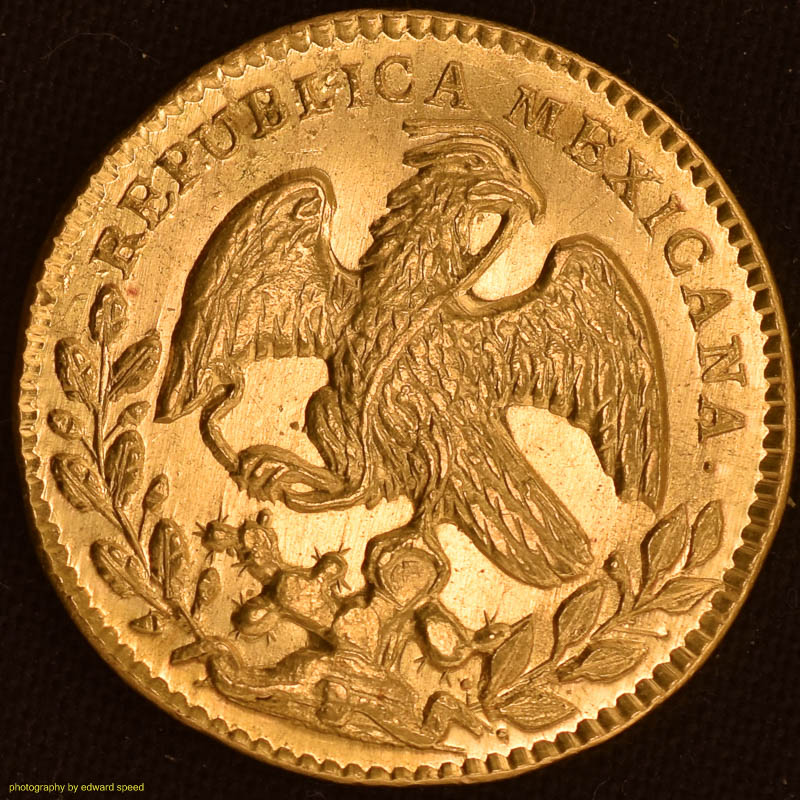
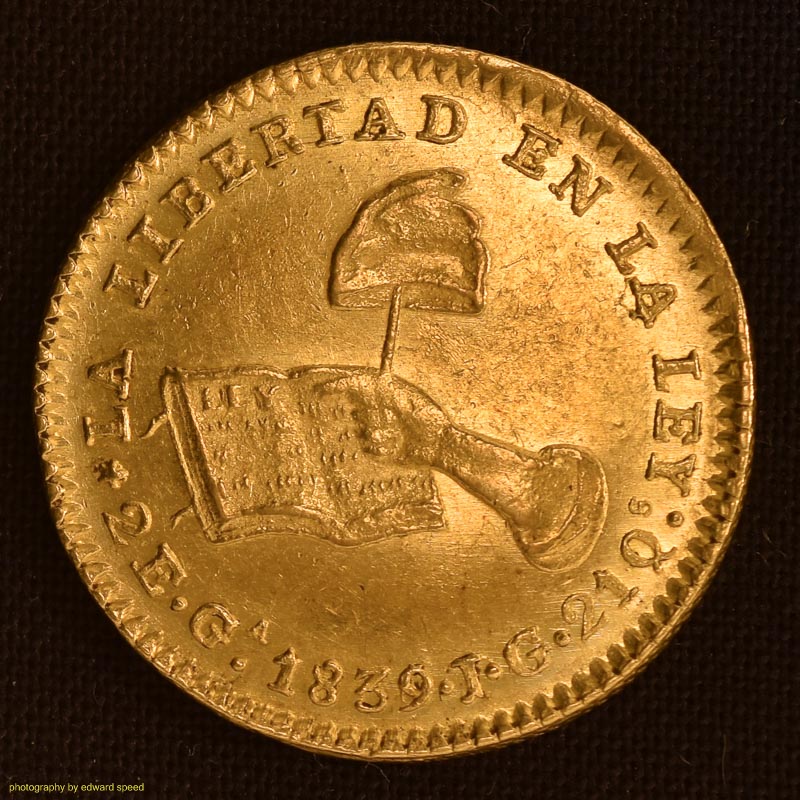
I agree. Here is another coin. Less bright.
First-Coin-Photo-Post-This-Community-And-First-Post-This-Community

First-Coin-Photo-Post-This-Community-And-First-Post-This-Community
Edited by TexasPilot
03/30/2016 6:12 pm
Rest in Peace
moxking's Avatar
United States
17900 Posts
 Posted 03/30/2016  6:23 pm  Show Profile   Bookmark this reply Add moxking to your friends list Get a Link to this Reply
Second photo set is exceptional. Color is a very objective determination and important in the judgment of most coin types.

Actual console to in hand comparison is the best teacher.
New Member
United States
5 Posts
 Posted 03/30/2016  6:37 pm  Show Profile   Bookmark this reply Add TexasPilot to your friends list Get a Link to this Reply
Thank you. I just received the ColorMunki device and software ro calibrate my monitor. Hope that will help. You feedback is appreciated very much.
Bedrock of the Community
Earle42's Avatar
United States
10034 Posts
 Posted 03/30/2016  8:51 pm  Show Profile   Bookmark this reply Add Earle42 to your friends list Get a Link to this Reply
Search on the forum as there is an entire section on coin photography. Some of the guys here are experts and MORE than willing to share how they do it (I am not one of them!)

There is even one person on here getting professional results using just an iPhone 4S and an inexpensive setup.
How much squash could a Sasquatch squash if a Sasquatch would squash squash?
Download and read: Grading the graders
Costly TPG ineptitude and No FG Kennedy halves
https://ln5.sync.com/dl/7ca91bdd0/w...i3b-rbj9fir2
Pillar of the Community
Canada
2784 Posts
 Posted 03/30/2016  9:04 pm  Show Profile   Bookmark this reply Add rocky to your friends list Get a Link to this Reply
TexasPilot you are doing great. there is some members here that will be on a little later. they will help you I would not adjust to much just yet. do you have a silver dollar or a nickel metal coin. photography them first. take a picture of your unit setup. also your lighting. we will all go from there. you are doing great
Pillar of the Community
Canada
2784 Posts
 Posted 03/30/2016  9:09 pm  Show Profile   Bookmark this reply Add rocky to your friends list Get a Link to this Reply
TexasPilot also remember your background. will effect the look of your coin. the lens will pull that colour unto your coin. so that has an effect on your images. if you get a chance purchase. a booklet of that old construction paper. there is different colour that will help most metal coins. also the paper is non reflective.
  Previous TopicReplies: 7 / Views: 1,712Next Topic  

To participate in the forum you must log in or register.


Disclaimer: While a tremendous amount of effort goes into ensuring the accuracy of the information contained in this site, Coin Community assumes no liability for errors. Copyright 2005 - 2026 Coin Community Family- all rights reserved worldwide. Use of any images or content on this website without prior written permission of Coin Community or the original lender is strictly prohibited.
Contact Us  |  Advertise Here  |  Privacy Policy / Terms of Use

Coin Community Forum © 2005 - 2026 Coin Community Forums
It took 0.3 seconds to rattle this change. Forums