| Author |
 Replies: 106 / Views: 21,343 Replies: 106 / Views: 21,343 |
|
|
|
Pillar of the Community
 United States
650 Posts |
LOL... now you tell me. Yeah, I got impatient and didn't wait for an answer.
I tried pulling the pins out with pliers, no joy. So I stuck a flat screwdriver under them and pried until the pins broke. Yep, there is a raised area of the plastic base under each clip. I started to Dremel them off, but that just melts the plastic. If I decide to remove those raised areas, I'll probably put painter's tape down to protect the base and use an old fashion hand file.
|
|
Pillar of the Community
United States
650 Posts |
Let's try something totally different. 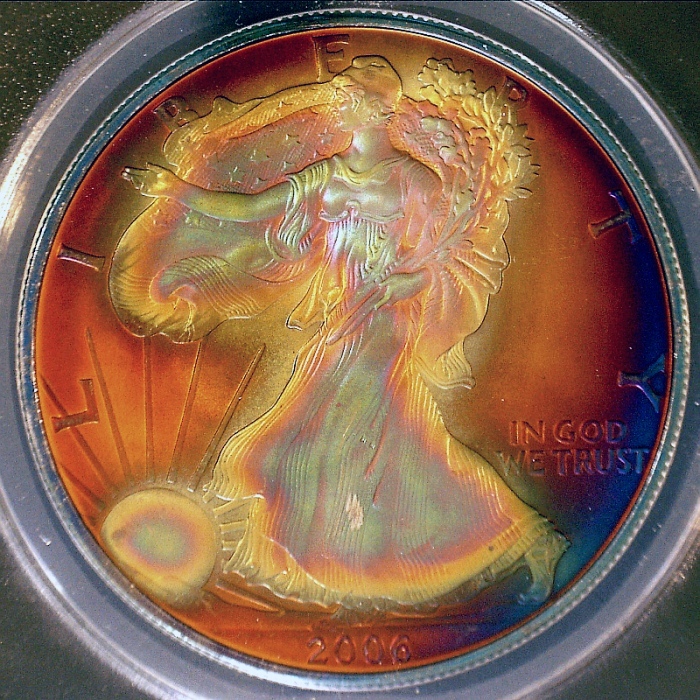 |
|
Valued Member
Russian Federation
172 Posts |
Jucy colors! Some colored glass filters on the ligths? Here is professional instrument for this macro. 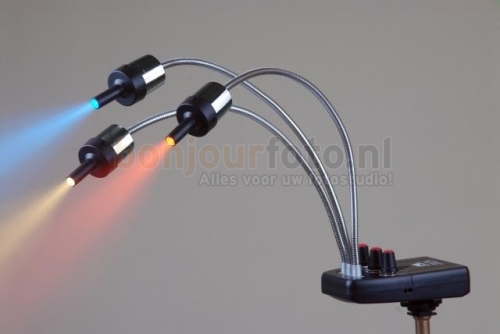 Next idea is use full color IC-digital led panel with fiber optics to coin. Lol  Edited by Justwalking
03/27/2017 3:24 pm
|
|
Pillar of the Community
United States
650 Posts |
Actually, believe it or not, that last photo is fairly close to how the coin really looks (it's obviously artificially toned of course). 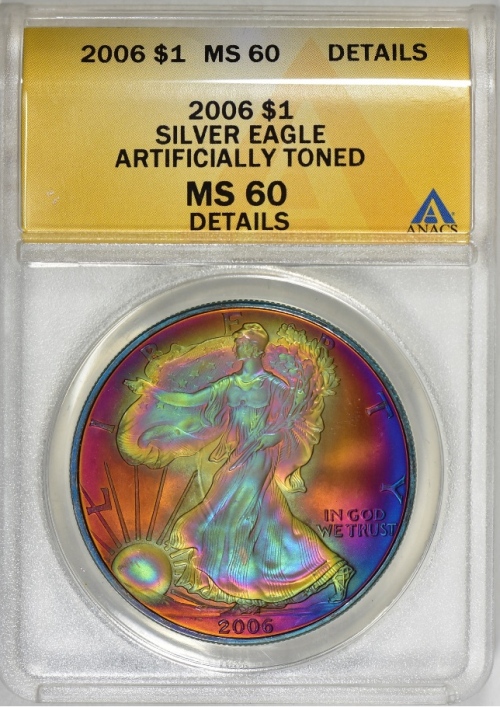 I made my adjusting rod 10 inches long, but maybe I should have made it 10.5 inches long. I had to remove the top plastic cap to move the camera another 1/2 inch higher to get all of the ASE into the frame. But, that's ok, I rarely take photos of coins that large anyway. Edited by batboy
03/27/2017 4:28 pm
|
|
Valued Member
Russian Federation
172 Posts |
batboy, I did not know that (I'm not collector). Cool colors!
|
|
Pillar of the Community
United States
650 Posts |
My Celestron digital microscope image on the computer started flickering, so I shut the program down and disconnected the USB cable. When I turned it back on and plugged the USB cord back in, no joy, nada, zip, zero, nothing. I shut everything down and rebooted the computer. It's still did not work. All I got is ominous blackness, no image at all. I tried uninstalling the software and reinstalling it. It started blinking again. I went into the folder that it saves images to and deleted several. Lo and behold, it's working again. Weird.
|
|
Bedrock of the Community
United States
10284 Posts |
Same thing happened to me with mine last night batboy. I can't believe you just posted that.
I forget what I did, but I got mine working too. Probably did all the same things you did.
I could open and close the program but no image showed, just blackness.
My Jansjo lamps are here already and assembly was required.
I really have to make a station set up for all this stuff next.
|
|
Rest in Peace
10197 Posts |
What USB port you fellows using, 2.0 or 3.0. Ever since I got a new laptop w/a 3.0 port, mine's given me no problems at all on 3.0, seemed t have similar when on 2.0...go figure.
|
|
Bedrock of the Community
United States
10284 Posts |
Never considered a different usb port! I'll have to look at what I have to use here. Do they have numbers to locate somehow? Here, I cleaned up a spot and set up. 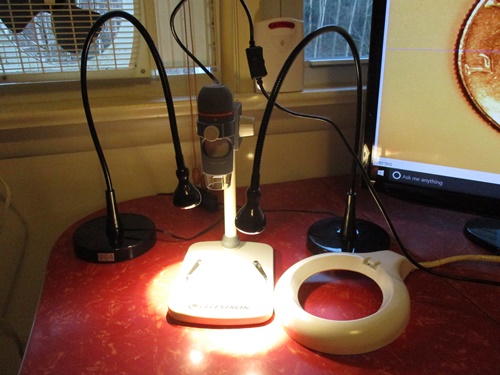 First images is how the darn pic comes out.  Second pic I have used a saved "saturation curve setting file" in my photoscape image program to get this close as I could. Moving those two lights around are tricky to get just the right angles. 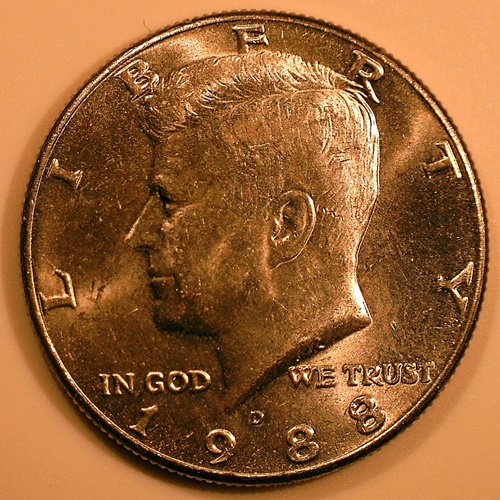 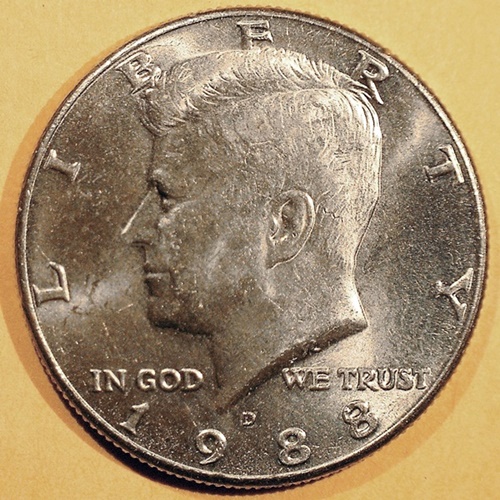 |
|
Pillar of the Community
United States
650 Posts |
I'm using USB 3.0 because that's on the front of my tower.
The only reason I tried deleting a few files was because a few days ago it would not save a new file. Everything looked like it was working, but you push the button and nothing happened. So I moved some files to another folder and then it started working again. My old scope never cared how many files I had in the folder. However, apparently this one does. I never heard of having too many files in a folder before. I looked to make sure my harddrive wasn't full or something. Nope, it was only about a 1/3 full. I'd be curious to know if anyone else has ran into this issue.
Hey, that last photo looks like you're getting the color pretty close.
I've sort of reached the conclusion that positioning your lighting like the folks do with a SLR camera on a stand does not work with these USB microscopes. Maybe I'm about ready to try a DIY light box?
|
|
Bedrock of the Community
United States
10284 Posts |
I'm getting a headache. Enuf for one night. LOL 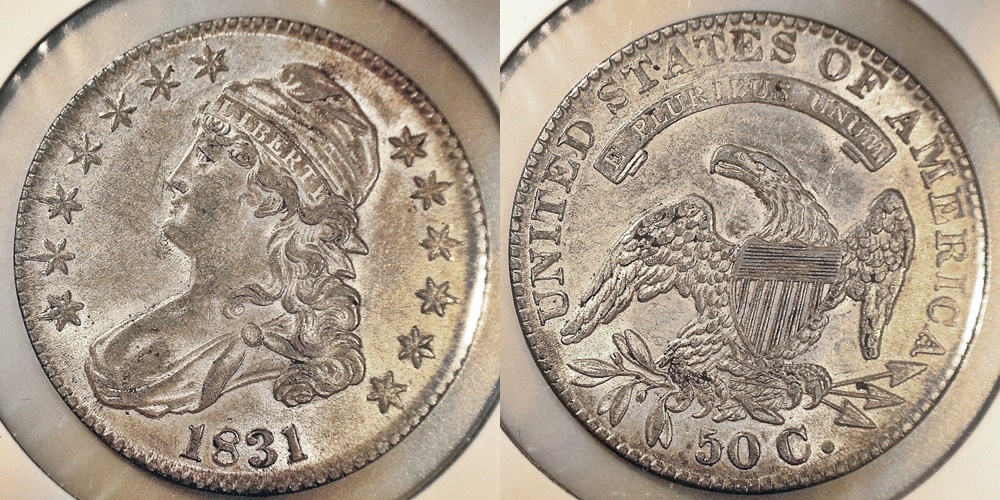 |
|
Pillar of the Community
United States
650 Posts |
Close up work is what this digital scope is good at doing. Trying to decide if this is a rim Cud. 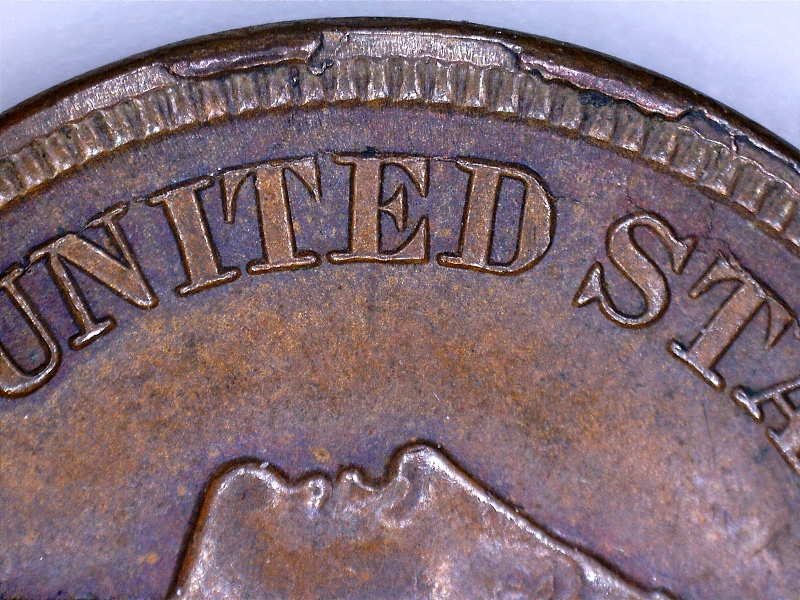 |
|
Bedrock of the Community
United States
10284 Posts |
How far away is that microscope from the coin batboy? Anyway, I cut a water jug ( milk jug ) to cut my glare from the jansjo's. I have been taking lots of pics with coins in the 2x2's just for inventory. I have a long way to go to get pictures like that one you have shown. I just have a heck of a time with fine adjustments. 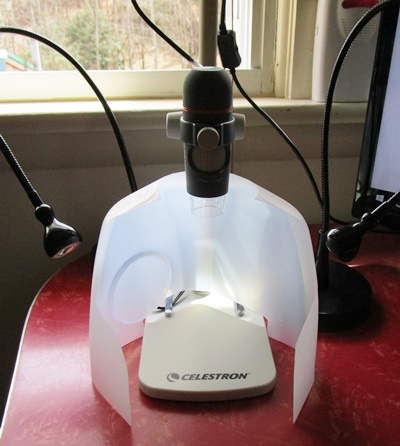 |
|
Bedrock of the Community
United States
10284 Posts |
I would say yes that there are two minor rim Cuds there. Just my opinion. |
|
Pillar of the Community
 United States
4051 Posts |
That IHC pic is pretty nice and sharp. |
| |
Replies: 106 / Views: 21,343 |







 First Page
 Previous Page


 Posted 03/27/2017 2:30 pm





