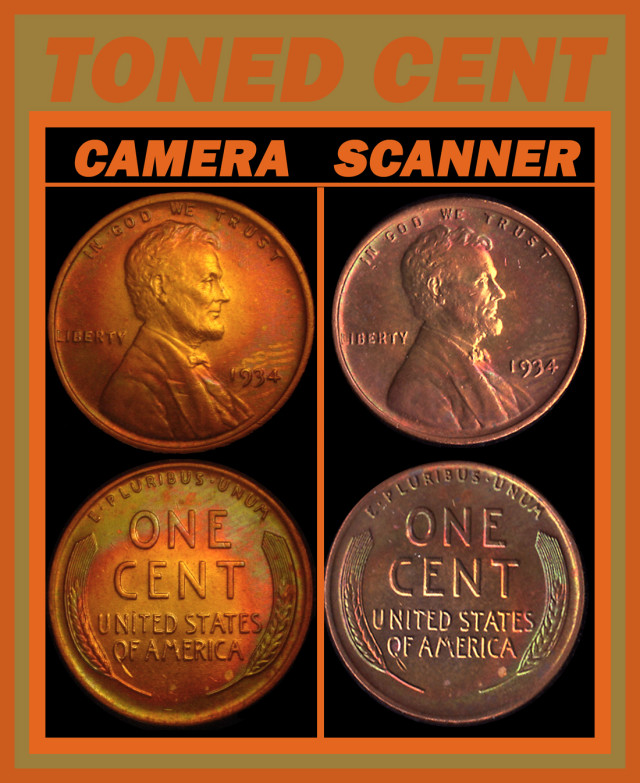
Lighting and taking images
How to get great pictures? This is a problem for most new collectors. They don't have what they really want to use to take images. But have you noticed that some after a little reminders from us to post better images, come back with
better images. You don't have to have the most expensive equipment to have great images. You just have to know how to use, what you have.
How do you figure it out? If your not happy with the way your images look,
try different things to improve. Sometimes you can get to be consistent with your images. But still you feel something is missing. So try different things. Sometimes just a little changing things, will work better. Other times it doesn't work. So keep what works, and try not to do that again. I've had to recheck to see how I improved something later and remember I did/didn't do something.
Having the right type of lighting. Not just any bulb from the hardware store will give you what you want to have for your camera.
The secret? Diffusing the light helps to remove the most harmful thing for images.
Glare. What is glare? Glare is reflection off a shiny device/field/design of a coin. The proof coins are even harder to take images of, because of the shiny surface. You can use two lights for full images of coins. That is OK. But on micro images, close ups will suffer because of multiple light sources.
Why? On a single light source you have light and shadows. With more than one light, you get light on two or more sides of the devices. With the extra light sources on the coin,
it is flooded with too much light. There is no light and shadows that are needed for micro images.
It is just light and light. Have you ever walked early in the morning and watched as you walked, shadows from more street lights? Your walking along seeing your shadow, but when you are between two or more lights, you see more shadows. Some are dark and some are a bit lighter and then there is the light from the light above you. So when taking images with several light sources, you get the wrap around lighting from the other lights that make it look like something is there.
Then you look again and you see the devices are normal in size, so the light is causing you to see something, that is not there. Or when you are looking a the edges of coin devices, the lights will reflect off the sides of the devices, again making you feel like there is something there,
but again the light is just playing tricks on you. Having your light source to low, will make the sides of devices reflect and not the tops of the devices. When
Machine Doubling is present, it shines very bright. But again, you consider the size of the devices, and realize it is the lighting that is making you feel something is there. But it is not.
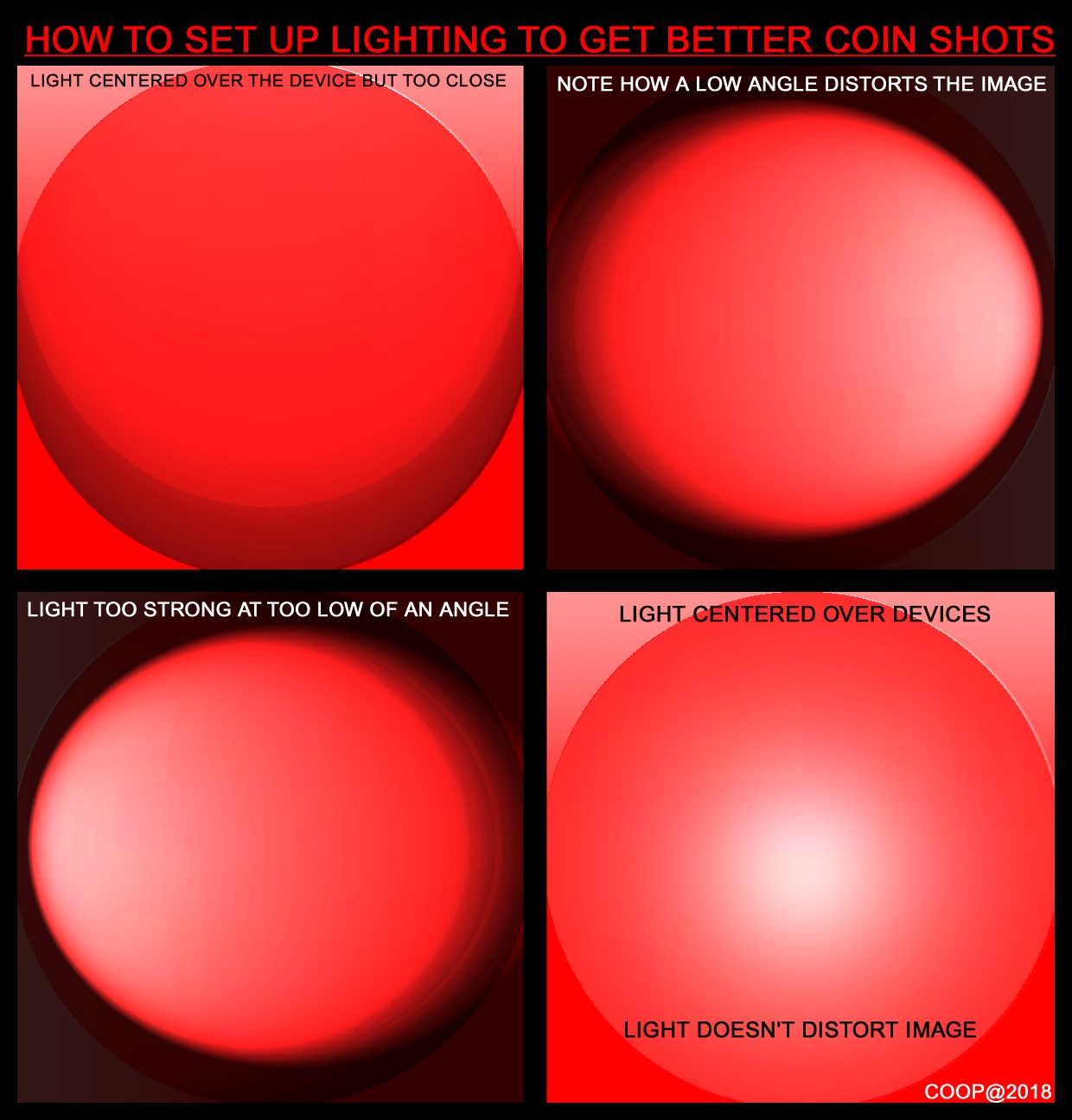
Note on these images, the light source directions. If it is too low you can have image of devices on just one side of the device and it can distort what is there. If the light source is too strong, then glare happens and often covers what your are seeing, and all wee see is glare. So the examples here show what can happen, if the lighting is not reaching the devices at the best angles. The bottom on the right is what you want. The light source over the top of the devices above the coin.
So how can you improve your images? Having a lower power /wattage bulb. Another thing that helps, is to diffuse your lights. Prevent the glare
before you snap that image. You can do this with a plastic grocery bag. It doesn't prevent the excess wattage, but it cuts the glare that reflects off the devices. Preventing devices from glare and your almost there. But sometimes the light is still too light. Try using computer paper. On one of my setups I use two sheets to remove the glare. Another thing that can cause glare, is a secondary light source.
What's that? Having a room light that is giving you trouble, or having window light from the sun shining in the direction of the coins image your trying to take.
How do you determine this? If you are using a scope, Get the coin in place to take the image and before taking it look at the scope and cup your hands around the coin area. That way you can spot which direction the unwanted light is coming from. If you figure out the source you can block that direction so that light won't bother you. On my scope, I have paper strips or you can use facial tissue with tape on them to do the job. Sometimes a book opened on edge. Just prevent the light from reaching the coin. I also use a unique tool to direct the light into the scope:
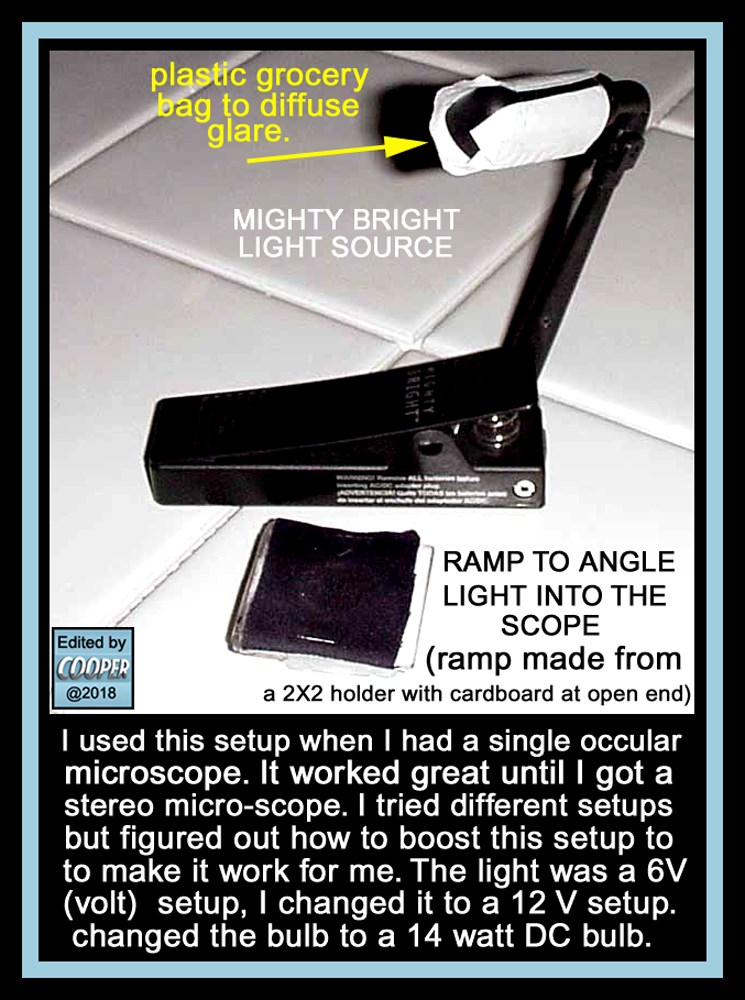
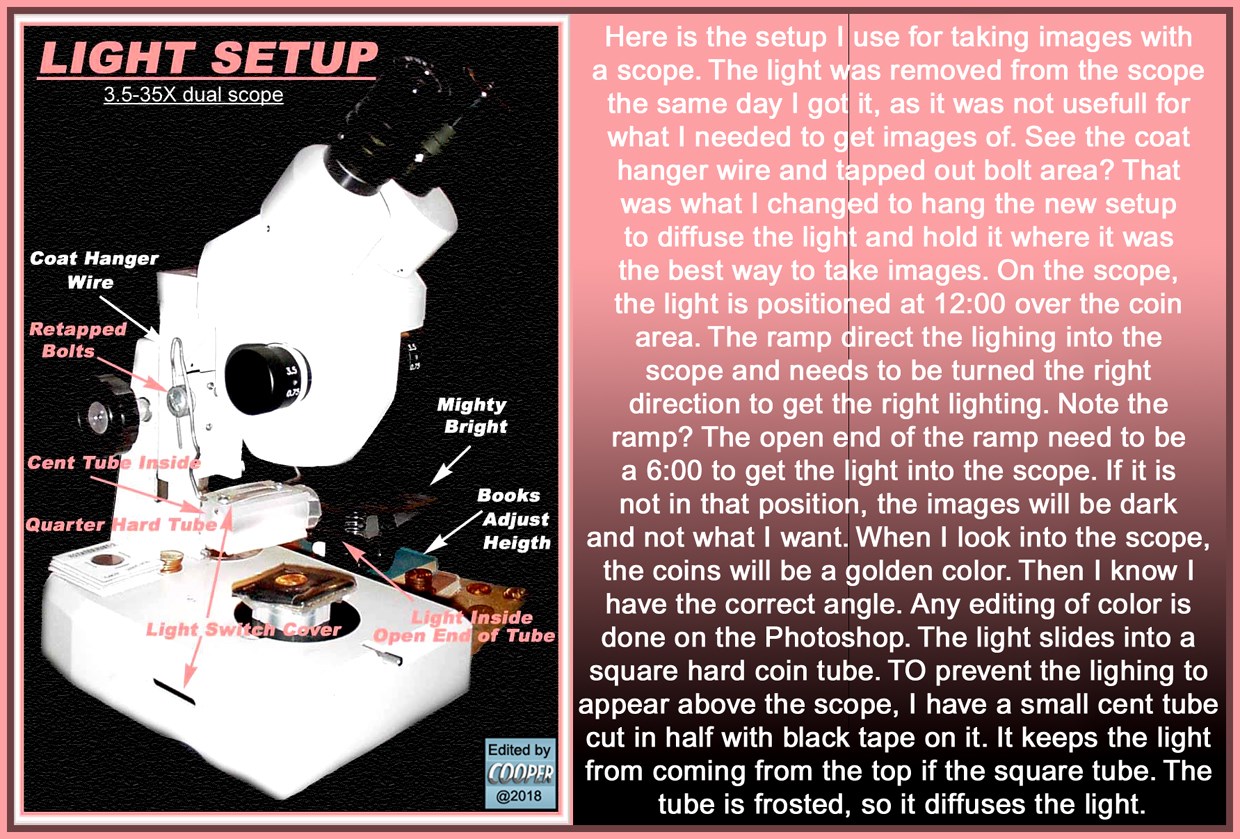
The ramp is just a 2X2 with dark fabric on it and a piece of cardboard to hold it open. This helps direct the light into the scope, so you get the right amount. If you need to rotate the coin under the scope, keep the ramp in the correct location for what your using, just rotate the coin. Sometimes I will place other coins under the ramp if the light is not strong enough. I keep my light fixed at 12:00 and the ramp opening at 6:00. That way the light is directed into the scope. Again if you need to adjust the coin to be horizontal, turn the coin, and not the ramp. Before you click your images, make sure the coin is straight on the setup, or turn your camera a bit until it is horizontal. (handy if you don't have software to rotate the images)
But your probably wondering how can I take multiple coins in the same image? Well you need a different set up.
MY HOME STUDIO
You can see the images look great, but how did this all happen? Well I make what I have, work for me. My studio consists a 2 drawer filing cabinet, a cardboard box, a small shipping box and a piece of darker colored cloth. Also a gooseneck desk lamp. Here is what I end up with:
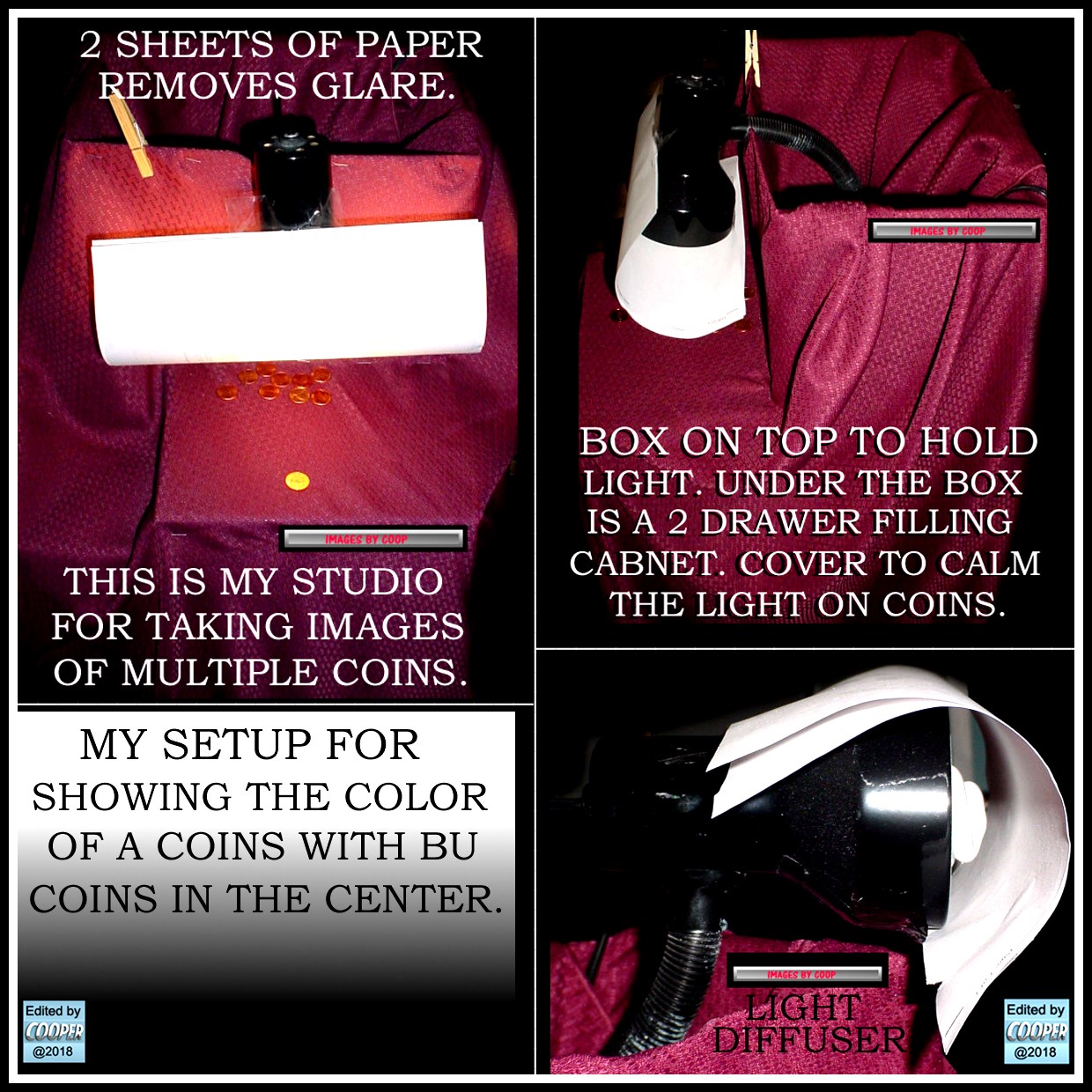


So use what you have, and make it work. Keep trying something different to get the desired results. Ask me? I've tried a lot of things to get the best out of what I have. Questions? Post them here.
Another thing We eventually will need is a discussion on software and how to use. I'll handle the Adobe Photoshop questions. Others can help add to a new thread later on to figure out what to do with software you have. (I've been using an older version I've had for over 20 years)
CoopHome : lighting taking images how to










 Posted 12/21/2018 10:17 am


 to the Community, Kronny!