| Author |
 Replies: 9 / Views: 3,981 Replies: 9 / Views: 3,981 |
|
|
Valued Member
United States
58 Posts |
I have canon Pixma MG2920, I bought it to scan coins cause my canon digital camera seems to stink at photo's,,, What is your guy's and gals secret to good quality looking scans and photo's Here is an example of a photo I scanned and then enlarged.. 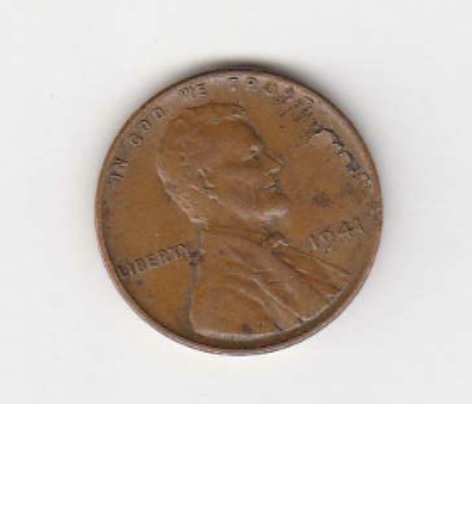 *** Moved by Staff to a more appropriate forum. *** *** Moved by Staff to a more appropriate forum. *** |
|
|
|
Valued Member
United States
280 Posts |
I have the exact same Cannon PIXMAMG2520.Look at this blurry scan of an item that my lousy camera also can't take a clear pic of.Maybe we need better equiptment ? 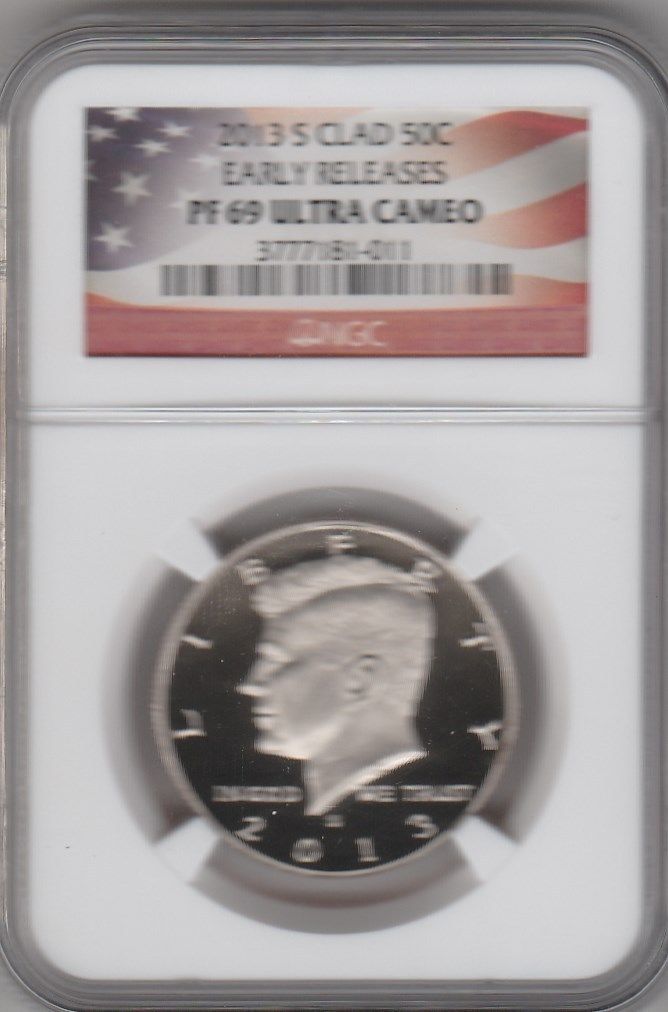 |
|
Pillar of the Community
United States
1915 Posts |
I began with a scanner then bought a better scanner.
So I tried a kids Digital Blue microscope USB setup for short term usage with mixed results.
Then went to a Nikon Coolpix for much better results but even that was not right.
Then I went to a Cannon camera that was much better but still lacking for my needs.
Then I learned about Dino-Lite and saw a demo at a coin show. Those USB computer microscopes satisfied my needs.
|
|
Moderator
 United States
14463 Posts |
This thread was moved to the correct place. Please stick to only one thread
|
|
Moderator
United States
56855 Posts |
I would say stay away from any scanner when it comes to coins and practice with your digital camera. John1  |
|
Pillar of the Community
 United States
2843 Posts |
Believe it or not, I get IMHO excellent photos with my cell phone. The real key is lighting. Here is an example of a photo taken with my Alcatel cell phone. I know there is room for improvement, but I am very happy with the results that I am getting for having zero special equipment. 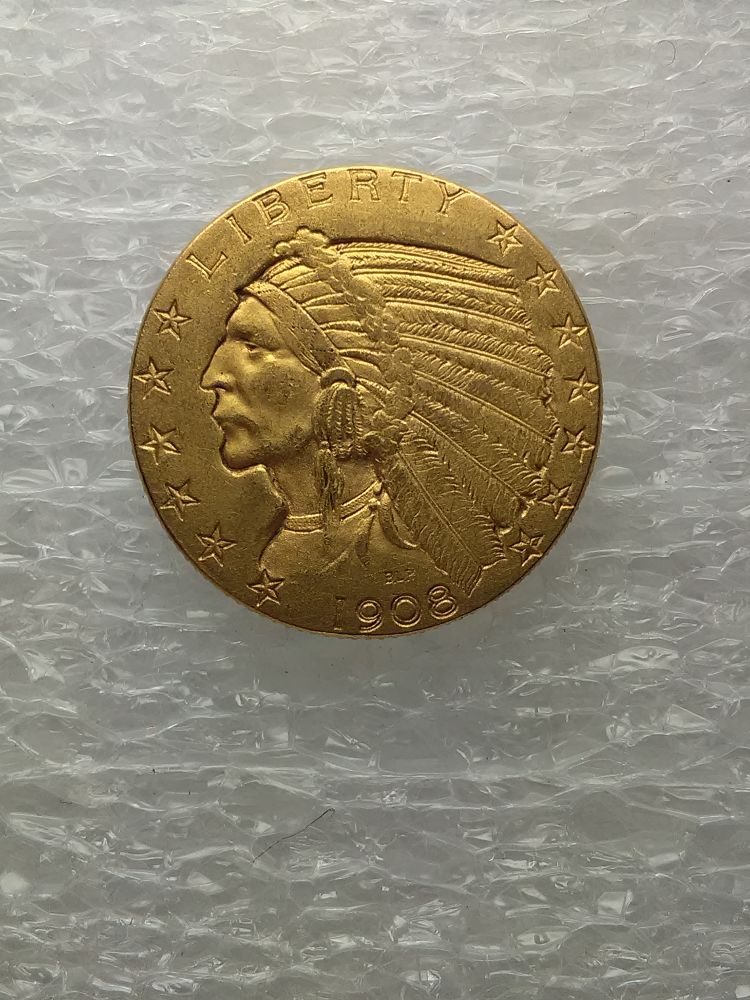 |
|
Pillar of the Community
United States
4616 Posts |
First off scanners are optimized for flat documents, they just don't handle 3d objects like coins very well.
Second as Big shows, you can get better than good photos even from a cell phone camera these days. The other key (after enough light) is holding it steady. I use my tablet and a wood block cut at just the right height (chop saw) to hold it at the right distance from the coin.
-----Burton 50+ year / Life / Emeritus ANA member (joined 12/1/1973) Life member: Numismatics International, CONECA Member: TNA, FtWCC, NETCC, EveryCountry (online) coin club Owned by three cats and a wife of 40+ years (joined 1983) Author: 3rd Edition of the Sample Slabs book, https://www.sampleslabs.info/ |
|
Pillar of the Community
United States
4085 Posts |
Agree also with BigSilver. You have to get the light such that the shutter speed is short, the ISO is low, etc. This minimizes the time the digital sensor (in the old days film) is exposed to light, leading to less blur. If you can mount the camera to a fixed object and/or use a timer, you can really minimize blur issues. Even a little movement can kill a picture.
|
|
Pillar of the Community
United States
9395 Posts |
From 1998 to about 2008, I used to scan in coins with an old HP scanner. The typical scans were better than the average results I could get with film, which were always unpredictable. The scanner was so convenient, in comparison to film.
At the time I thought the quality of the scans was great. Once I got a DSLR in 2004, I realized that the scanned image quality wasn't so great after all, compared to using the DSLR. Scanning was still a lot more convenient than setting up the DSLR with macro lens, lights, tripod, etc., and no live view.
Nowadays, I shoot coins only with the DSLR. My current scanner (part of a printer) is really horrible at scanning coins, and the new DSLR gives even better results using tethering, live view, etc.
|
|
Valued Member
Netherlands
74 Posts |
What pepactonius says.
What you use of course depends on what you want the photos for and what your budget is. If you just want to keep a record of what you have, and you don't have a large budget, a scanner might work fine. But you'll never get the resolution or image quality that a camera will give you.
As said, once you start with a camera, lighting is very important. After using a scanner I first used the macro setting of my camera, but quickly noticed it was still not perfect. A big issue was that I needed to be too close to the coin to get good lighting. Now I use a DSLR with macro lens and an axial lighting setup. It gives great photos and the photos show way more detail than what I can see with the naked eye. But depending on what you are looking to use the photos for something like that might be overkill...
|
| |
Replies: 9 / Views: 3,981 |
|










 Posted 03/06/2016 12:33 am


