| Author |
 Replies: 15 / Views: 1,958 Replies: 15 / Views: 1,958 |
|
|
Pillar of the Community
United States
7376 Posts |
Am sure it's been discussed before somewhere on the site, so please point me in the direction if possible. Otherwise, how do I make one of those side by side images I see so often of the obverse and reverse of a coin? I only have basic software, no Photoshop. Thanks, Ed
|
|
|
|
Moderator
 United States
54297 Posts |
If you have Windows, you have Paint.
Show your financial support of the Coin Community Family (click here)See my topic on Mexican Numismatic Medals (click here) |
|
Pillar of the Community
United States
3546 Posts |
Ed, for me I use photoshop. I have created an image template I use to drop my obv and rev pics into. There are other ways as well but this works for me... I end up with something like this:  |
|
Moderator
United States
195559 Posts |
If you do not have Photoshop, you can download and use Paint.net (it is free). |
|
Pillar of the Community
United States
604 Posts |
Quote:
If you have Windows, you have Paint.  I use paint and what I have done is first crop each picture (obverse and reverse) to get the best details. Then I take each picture and insert them into one file getting them aligned as best as I can and save that image to upload to the forums. Essentially it's just one more added step to my process of uploading files. You can see an example of my most recent picture upload here. Edit: I forgot to add that when I have both images in the one file I then may have to crop that image to make it a nice and even box. Hope I'm makeing it clear enough to fallow. Edited by Neo13x
03/14/2016 09:47 am
|
|
Valued Member
United States
441 Posts |
Srs77,
What type of lighting do you use to enable the toning to display so well? Those Buffs are beautiful. Can you post a pic of your setup and light specs?
|
|
Pillar of the Community
United States
3546 Posts |
Andy, I use strobes, I think I may be the only one here that uses strobes as opposed to constant lighting. Personally, I just find it easier. Again, that's for me but not for most. I'm a closet photographer meaning I do more than just coins. I have a snall portrait studio that gets some work as well.
|
|
Pillar of the Community
 United States
7376 Posts |
Ok, yes, forgot to say I have Paint (an older version,) so will give it a try. Also thanks for the paint.net suggestion. I've heard of Gimp, does it do that also? And I agree those Buffaloes are  |
|
Moderator
United States
195559 Posts |
Gimp is great, but in my opinion it has a steeper learning curve than Paint.net does (a necessary artifact of being so feature rich).
|
|
Moderator
United States
54297 Posts |
Paint in Windows 7 and higher is OK.
Paint in Windows Vista is "not good" (to keep it clean).
Show your financial support of the Coin Community Family (click here)See my topic on Mexican Numismatic Medals (click here) |
|
Pillar of the Community
United States
7376 Posts |
How 'bout Windows XP?  Looks like Paint.net might be the answer. |
|
Pillar of the Community
United States
4051 Posts |
I use Paint.net for most of my creative stuff.
|
|
Pillar of the Community
United States
1314 Posts |
I use Irfanview. It's a free download. Maybe not as good as others, but I know how to use it. Are teaching videos available for Paint, Gimp etc.? |
|
Valued Member
United States
430 Posts |
Chute, can you post a link of a video of the steps to do this in Irfanview. or just list your steps? |
|
Valued Member
United States
430 Posts |
I found it and it's really easy. start Irfanview. Image => Create Panorama Image => In the middle box click "Add Image" => a window of available pictures appears. Go to the folder containing the Pictures you want. Hold the control key down and click the 2 images you want and the release control key. Now click the add Image button. Then save the image. 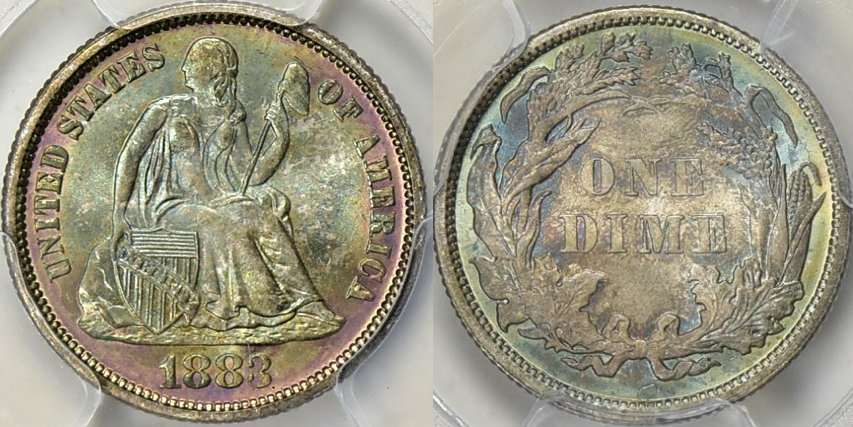 |
|
Moderator
United States
195559 Posts |
Looks good!  |
| |
Replies: 15 / Views: 1,958 |
|







 Posted 03/14/2016 08:17 am





